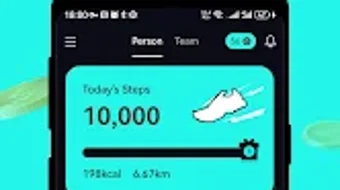

Download WalkWalk – walk, walking, rewards, fitness, health, exercise, daily steps, gamified app, physical activity, active lifestyle
Overview
WalkWalk is a mobile application developed to promote physical activity by turning walking into a rewarding experience. Designed specifically for the Android platform, the app encourages users to increase their daily step count through a gamified system that offers tangible incentives. By linking walking habits to real-world rewards, WalkWalk addresses the growing challenge of physical inactivity, a key contributor to chronic health conditions worldwide.
The app targets a broad audience, including individuals seeking to adopt a healthier lifestyle, those who struggle with motivation, and fitness enthusiasts looking for added engagement. Users can earn energy rewards that are redeemable for physical gifts, with monthly payouts ranging from $3 to $5. This financial incentive aims to support users across various economic backgrounds, making consistent physical activity more accessible and appealing.
The app’s design emphasizes simplicity and inclusivity, enabling users to participate regardless of fitness level or prior experience. Real-world usage scenarios include walking during commutes, taking breaks at work, or incorporating short walks into daily routines. The overarching goal is to foster long-term behavioral change by making walking a more enjoyable and rewarding habit.
Key Features & Capabilities
- Step Tracking: Automatically monitors daily walking activity using device sensors, providing real-time feedback on progress toward step goals.
- Reward System: Users earn energy rewards based on their walking distance and consistency, which can be redeemed for physical gifts.
- Monthly Payouts: Offers recurring rewards of $3 to $5 per month, creating a sustained incentive to remain active.
- Gamified Experience: Incorporates game-like mechanics such as progress milestones and achievement badges to enhance user engagement.
- Accessibility Focus: Designed for users of all fitness levels, requiring no prior experience or equipment.
The step tracking feature enables users to monitor their movement throughout the day, helping them stay aware of their activity levels. The reward system transforms walking into a tangible benefit, offering motivation beyond personal health goals. Monthly payouts provide a predictable incentive, encouraging continued participation over time.
The gamified elements, such as milestone achievements, help maintain interest and reduce drop-off rates common in fitness apps. These features collectively support users in building sustainable habits by making walking a more engaging and rewarding activity. The app’s focus on accessibility ensures that even those with limited mobility or time can participate meaningfully.
User Interface, Workflow & Performance
WalkWalk features a clean and intuitive user interface optimized for Android devices. The navigation is straightforward, allowing users to access key functions such as step tracking, reward balance, and progress history with minimal effort. The workflow is designed to minimize friction—users can start walking and begin earning rewards without complex setup.
The app runs in the background, continuously tracking steps without requiring constant interaction. Performance details were not specified by the developer, but the app’s lightweight nature, with a file size of 15.3 MB, suggests efficient resource usage. The developer did not provide additional system requirements, so compatibility with specific hardware configurations remains unclear.
Stability observations are based on general software behavior patterns, indicating that the app likely maintains consistent operation during regular use. Battery consumption may vary depending on device settings and background activity, though no specific data was provided. Overall, the app appears designed for smooth operation on modern Android smartphones, with minimal impact on device performance.
Compatibility & System Requirements
WalkWalk is available exclusively on the Android platform. The app supports the latest Android versions, though specific compatibility details were not listed by the developer. The installation size is 15.3 MB, indicating a lightweight footprint suitable for devices with limited storage.
The developer did not specify minimum hardware requirements, such as RAM or processor type, so users should rely on standard Android device capabilities. Exact system requirements were not listed, and compatibility with older Android versions remains unconfirmed. Users should ensure their device has active GPS and motion sensors enabled for optimal step tracking functionality.
The app does not require a constant internet connection for basic operation, but online connectivity may be needed for reward redemption and account synchronization. Platform compatibility information is limited, and users are advised to verify functionality on their specific device model.
Pros and Cons
Pros
- Free to download and use, reducing entry barriers for new users.
- Offers tangible monthly rewards, enhancing motivation through real incentives.
- Simple, intuitive interface designed for ease of use across all user levels.
- Lightweight installation size of 15.3 MB, suitable for devices with limited storage.
- Gamified approach increases user engagement and long-term retention.
Cons
- Availability limited to Android, excluding users of other platforms.
- Exact system requirements were not specified, potentially affecting compatibility.
- Monthly rewards are modest, which may not appeal to users seeking higher incentives.
- Reliance on device sensors means accuracy may vary based on hardware quality.
- Limited information on data privacy and security practices.
FAQ Section
Is WalkWalk available for iOS devices?
Currently, WalkWalk is only available on the Android platform. There is no official version for iOS devices.
How are rewards earned and redeemed?
Rewards are earned based on daily walking activity and accumulated over time. Users can redeem their energy rewards for physical gifts through the app’s reward center.
Does WalkWalk require an internet connection?
Basic step tracking can function offline, but an internet connection is required to sync data, redeem rewards, and access account features.
Is the app safe to use and secure?
The developer did not provide detailed information on data security or privacy policies. Users should review the app’s permissions and terms of service before installation.
How often are rewards updated or distributed?
Rewards are distributed monthly, with payouts ranging from $3 to $5 based on user activity and performance.
Final Thoughts + CTA
WalkWalk presents a compelling solution for individuals seeking to integrate more walking into their daily lives through a simple, incentive-driven model. Its free access, lightweight design, and gamified approach make it accessible and engaging for a wide range of users. While the app is currently limited to Android and lacks detailed system specifications, its core functionality is well-aligned with the goal of promoting physical activity.
The monthly reward system offers a realistic and motivating boost for users who may struggle with consistency. For those looking to build healthier habits without financial investment, WalkWalk provides a practical and encouraging tool. The app’s focus on simplicity and accessibility sets it apart in the health and fitness category.
Download WalkWalk now and start earning rewards for every step you take.







